Video
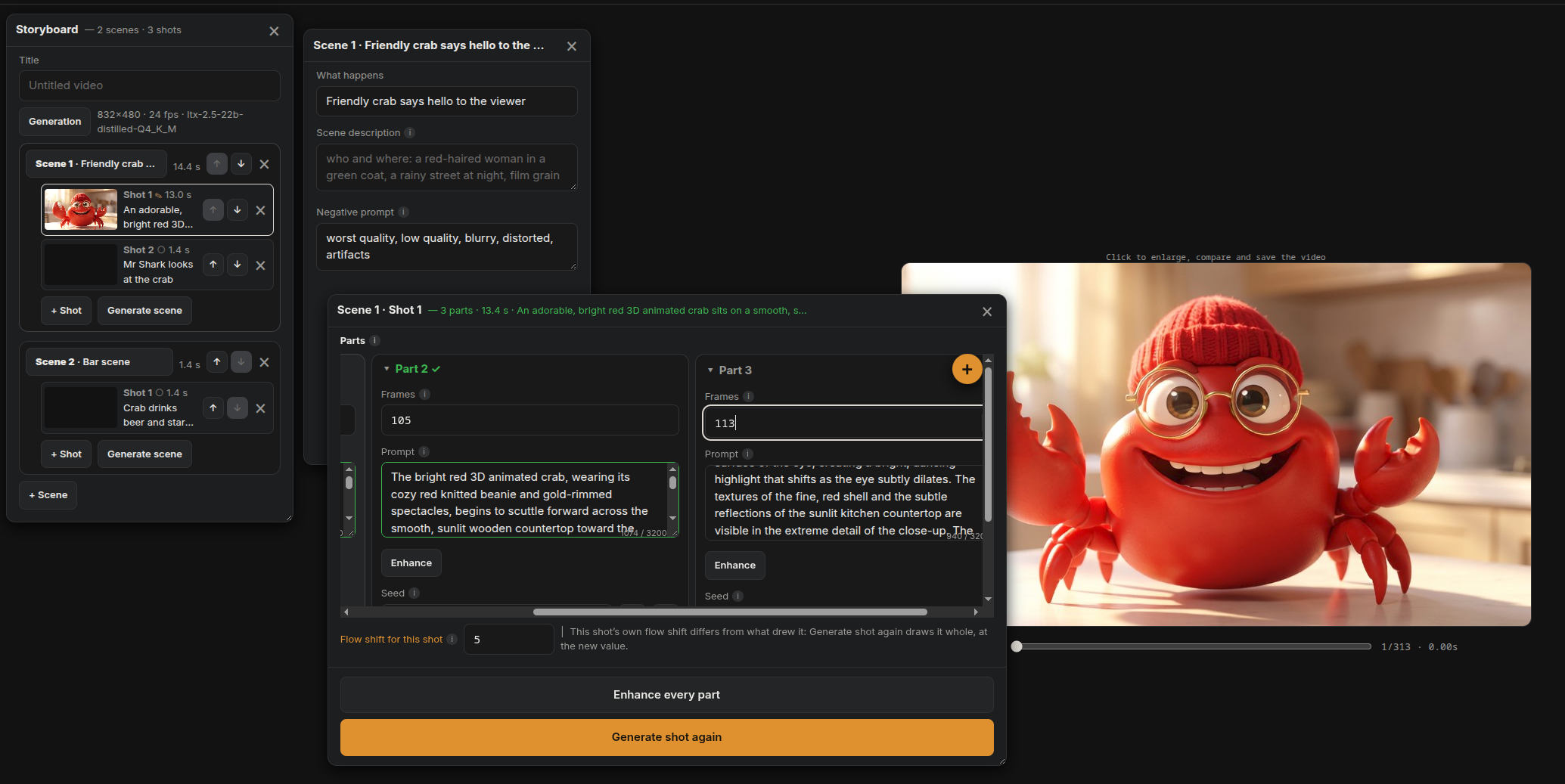
The Video tab is laid out like the Image tab: a rail of panels, the video filling the rest. Text or a first frame to video, with LoRAs and a live preview while it renders — built up on a storyboard, a shot at a time.
The models
- Wan 2.2 — TI2V-5B, and the I2V-A14B pair; Wan 2.1 VACE and dense models.
- LTX-2.3 and LTX-2.5 — picture and soundtrack together at 24 fps; distilled, 8 steps, with LTX's own ×2 hi-res in the same run.
- MiniMax H3 — with sound, and an 8-step Turbo LoRA.
The Models tab has one-click cards for them.
A storyboard: scenes, shots and parts
A model this size runs out of memory a few seconds in, so a video is built from pieces. A scene is one place and time, with a description every shot in it shares — who is there, the look. A shot is one camera run; between two shots is a cut. A shot is made of parts, each with its own prompt, seed and length, each going on from the last frame of the one before. The stage plays the whole video, shot after shot, each with its own sound.
Cheap first, then good
Draft at a few steps and fix one shot at a time: change a part and only that part and the ones after it are drawn again, from the last frame kept. When every shot works, raise the steps and generate again — the same seeds, drawn properly. Generate video draws whatever isn't done, in storyboard order. The model, size and frame rate are the video's, so the shots join; changing one asks first, since the shots already made would need making again.
Enlarge without flicker
Enlarge runs FSR over every frame — fixed filters, so nothing flickers. With an LTX model and its latent upscaler installed, LTX can instead redraw each shot at twice its size, Wan's and H3's clips too: it sees all of a shot's frames at once, so the new detail holds still. A video saves to Outputs as one file, every shot joined, or downloads as MP4, WebM or GIF from your browser.
Narrated stills
Your pictures with a voice reading over them, in the voice of a short recording you pick — Chatterbox (English, or 23 languages) or Qwen3-TTS.
Films with the Assistant
The Assistant writes a short film straight into the storyboard, with your cast in it — or works on a video you made yourself: “change the man in shot 2 into an old woman”. It sees the storyboard as you left it, names shots the way you see them, and keeps the parts you wrote.
Read more: the Video guide →